
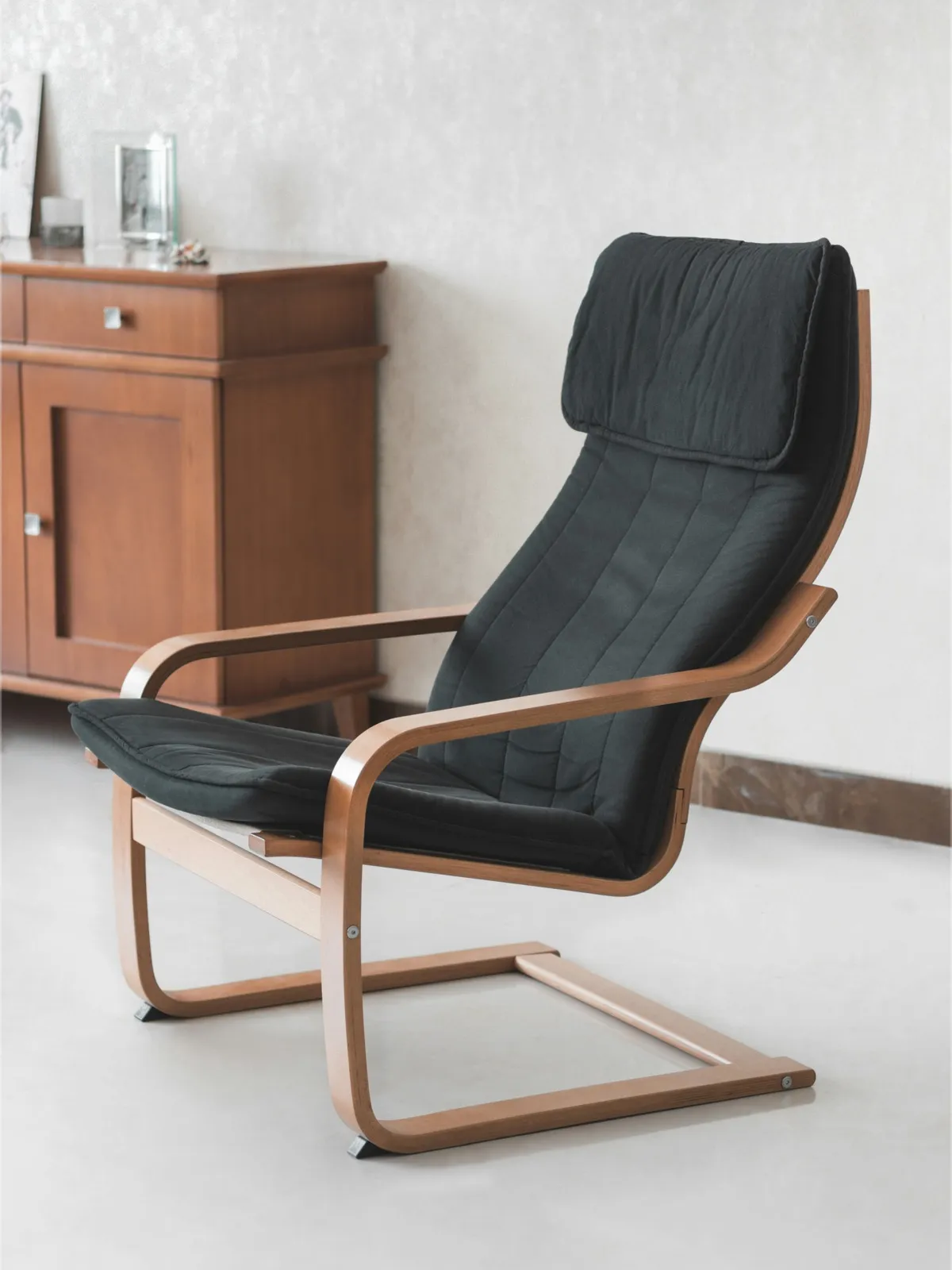
The Challenge of Selling Large Furniture Online
Lounge chairs and recliners are among the most anxiety-inducing online furniture purchases. Buyers worry about one thing above all: will it fit in my living room? Unlike small items where size barely matters, a lounge chair's footprint directly affects room layout and daily movement.
Why Lounge Chair Returns Are So Expensive
| Return Reason | Percentage | Preventable with Annotations |
|---|---|---|
| Larger/smaller than expected | 35% | Yes |
| Takes up too much space when reclined | 20% | Yes |
| Comfort doesn't match expectations | 15% | Partially |
| Color/material mismatch | 15% | Other methods |
| Quality issues | 10% | Other methods |
Over 55% of returns are directly related to size perception — and lounge chair returns are particularly costly due to heavy shipping weight and repackaging difficulty.
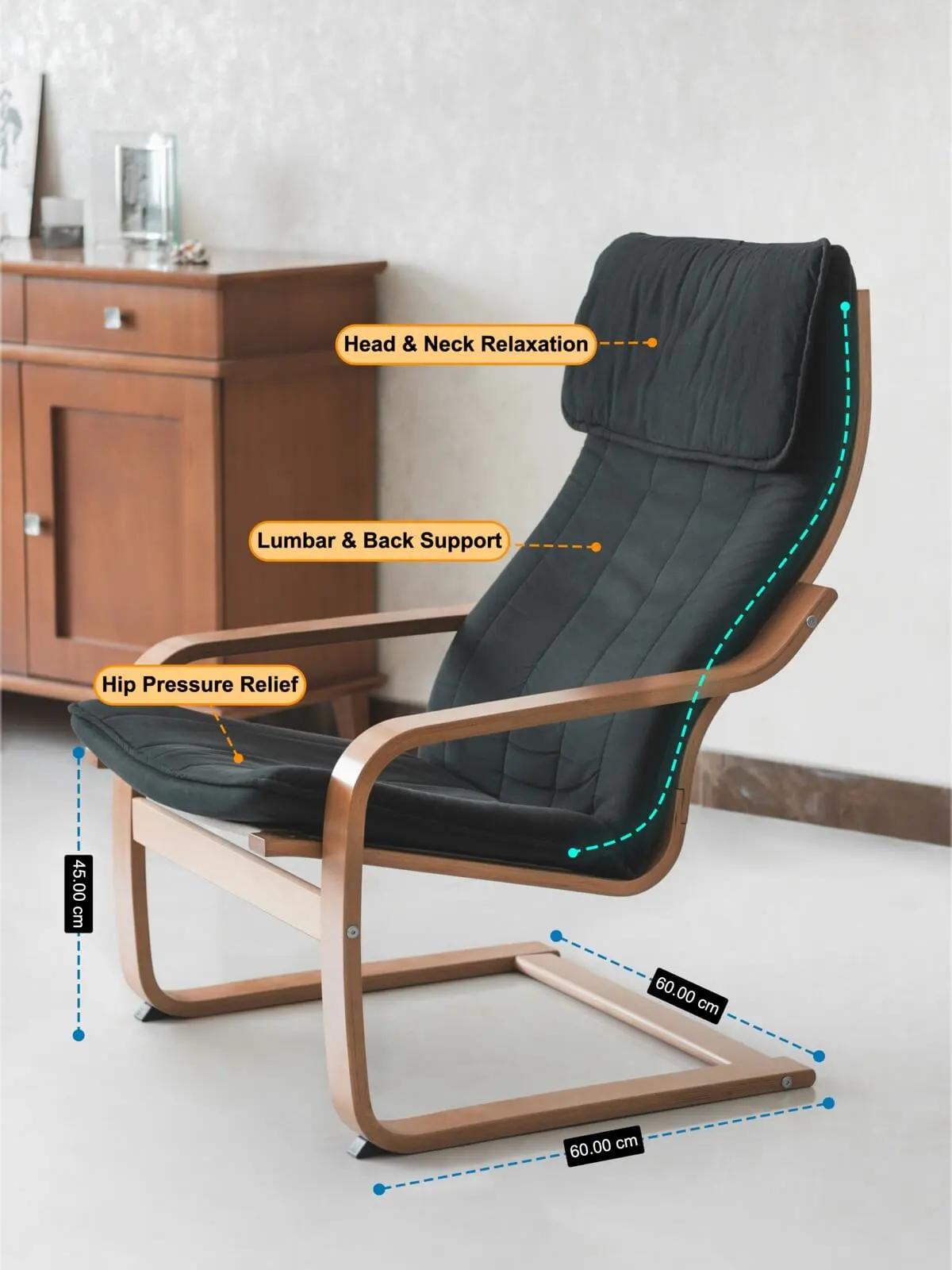
What We Annotated: Three Layers of Information
Layer 1: Dimension Lines
- Overall width — How much horizontal space the chair occupies
- Seat depth — From front edge to backrest, determines sitting comfort
- Back height — Affects head and neck support
- Footrest extension length — The total length when fully reclined. This is the most commonly overlooked dimension
- Seat height — Important for elderly users and children
Layer 2: Feature Labels
Beyond pure measurements, we added text callouts highlighting key selling points:
- Upholstery material (e.g., "Top-Grain Leather" or "Performance Fabric")
- Weight capacity (e.g., "Supports up to 330 lbs")
- Reclining mechanism (e.g., "3-Position Manual Recline")
- Fill material (e.g., "High-Density Memory Foam")
Layer 3: Contour Outline
A clean outline tracing the chair's silhouette separates the product visually from the background and helps buyers perceive the overall shape and proportions at a glance.
Why the Combination of Dimensions + Features Works
Dimensions alone tell buyers if it fits. Features alone tell buyers if it's worth buying. Together, they create a complete decision-making tool in a single image:
- Buyer checks dimensions — "It fits in my living room corner"
- Buyer reads features — "Top-grain leather, 330 lb capacity, quality seems good"
- Buyer decides — "Right size, right quality, I'm ordering"
This is why the listing saw a 35% increase in conversion rate — one image answered both "will it fit?" and "is it worth it?"
Results
| Metric | Impact |
|---|---|
| Conversion rate | Increased 35% |
| Return rate | Decreased 60% |
| "Wrong size" returns | Nearly eliminated |
| Size-related customer inquiries | Reduced 70% |
| Page bounce rate | Decreased (longer engagement) |
The return rate dropped from approximately 25% to about 10%. Size-related returns specifically went from 15% to near zero. The conversion rate increase translates to roughly one-third more orders from the same traffic volume.
Best Practices for Large Furniture Dimension Images
- Show both upright and reclined dimensions — Recliners and convertible furniture change shape dramatically
- Annotate wall clearance needed — Many recliners need 6-12 inches behind them when tilting back
- Use a top-down view for footprint — Buyers care most about floor space, and an overhead angle makes this instantly clear
- Don't skip comfort-related dimensions — Seat depth, seat height, and armrest height determine ergonomic fit
- Limit feature labels to 3-5 — Too many callouts dilute the impact
- Show precise measurements in both units — Large furniture where every 2 inches matters demands accuracy
FAQ
What's the single most important dimension for a lounge chair?
The reclined length (footrest fully extended). This determines whether the chair fits when in use. Many buyers only see the upright dimensions and are surprised when the reclined chair extends 16-24 inches further, potentially blocking walkways or bumping into coffee tables.
Should I prioritize dimension annotations or feature labels?
For large furniture, dimensions first. Size mismatch is the number one return reason and a complete deal-breaker. Feature labels are additive — they boost conversion but don't prevent returns. Get dimensions right first, then layer in feature callouts.
Won't too many annotations make the image look cluttered?
The key is visual hierarchy. Keep dimension lines thin and understated. Make feature labels visible but not overwhelming. Use different colors or styles to distinguish measurement data from marketing callouts. A well-designed annotation image looks professional, not cluttered.
Can SizeMarker annotate videos too?
Yes. In this case study, we added dimension annotations to both still images and product videos. Video annotations let buyers see size information while watching the product in motion, which is even more effective than static images. SizeMarker supports exporting annotated video.
Create Compelling Furniture Listing Images
Want to add professional dimension lines and feature labels to your furniture product images? SizeMarker supports dimension annotations, text labels, contour outlines, and more — everything you need to turn a product photo into a complete buying decision tool.