
Why Wall-Mounted Furniture Needs Precise Dimensions
Wall cabinets present a unique sizing challenge for online buyers. Unlike freestanding furniture that you can move around if it doesn't quite fit, a wall cabinet must satisfy three strict requirements simultaneously: the wall space must be wide and tall enough, the depth must not obstruct walkways or doors, and the internal shelving must accommodate the items the buyer plans to store.
If any single factor doesn't work, the product gets returned — and wall cabinet returns are costly for sellers because the item often arrives with minor wall-mounting damage that prevents resale.
The Most Common Wall Cabinet Return Reasons
Based on Amazon furniture seller feedback, the top reasons buyers return wall cabinets are:
| Return Reason | Frequency | Preventable with Annotations |
|---|---|---|
| Too wide/tall for the intended wall space | 30% | Yes |
| Too small — doesn't hold enough items | 20% | Yes |
| Projects too far from wall (depth issue) | 15% | Yes |
| Mounting holes don't align with wall studs | 10% | Yes |
| Quality or finish issues | 15% | No |
| Color mismatch | 10% | No |
Roughly 75% of wall cabinet returns involve size or fit issues that could have been prevented if the buyer had clear dimensional information before purchasing.
What Dimensions We Annotated with SizeMarker
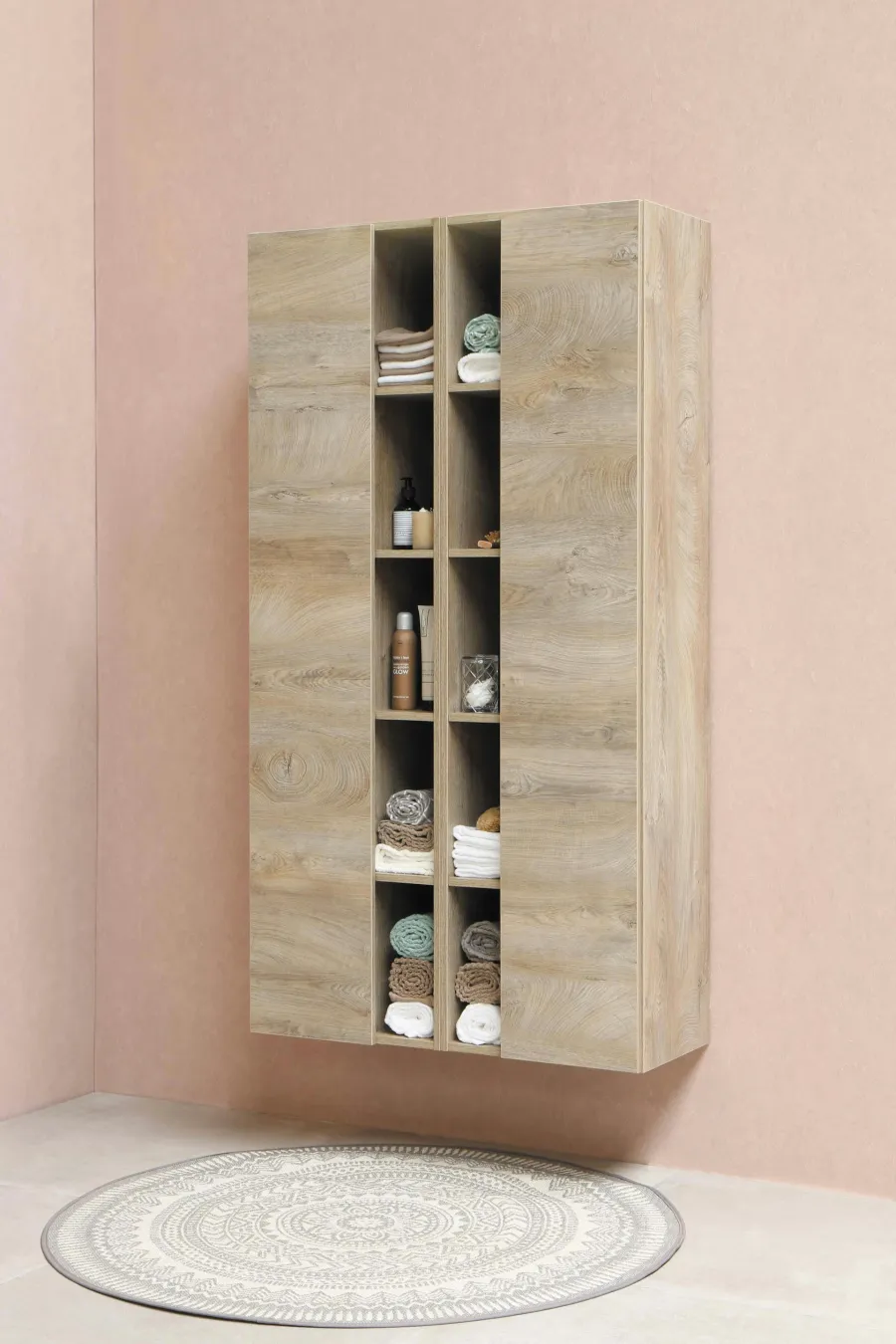
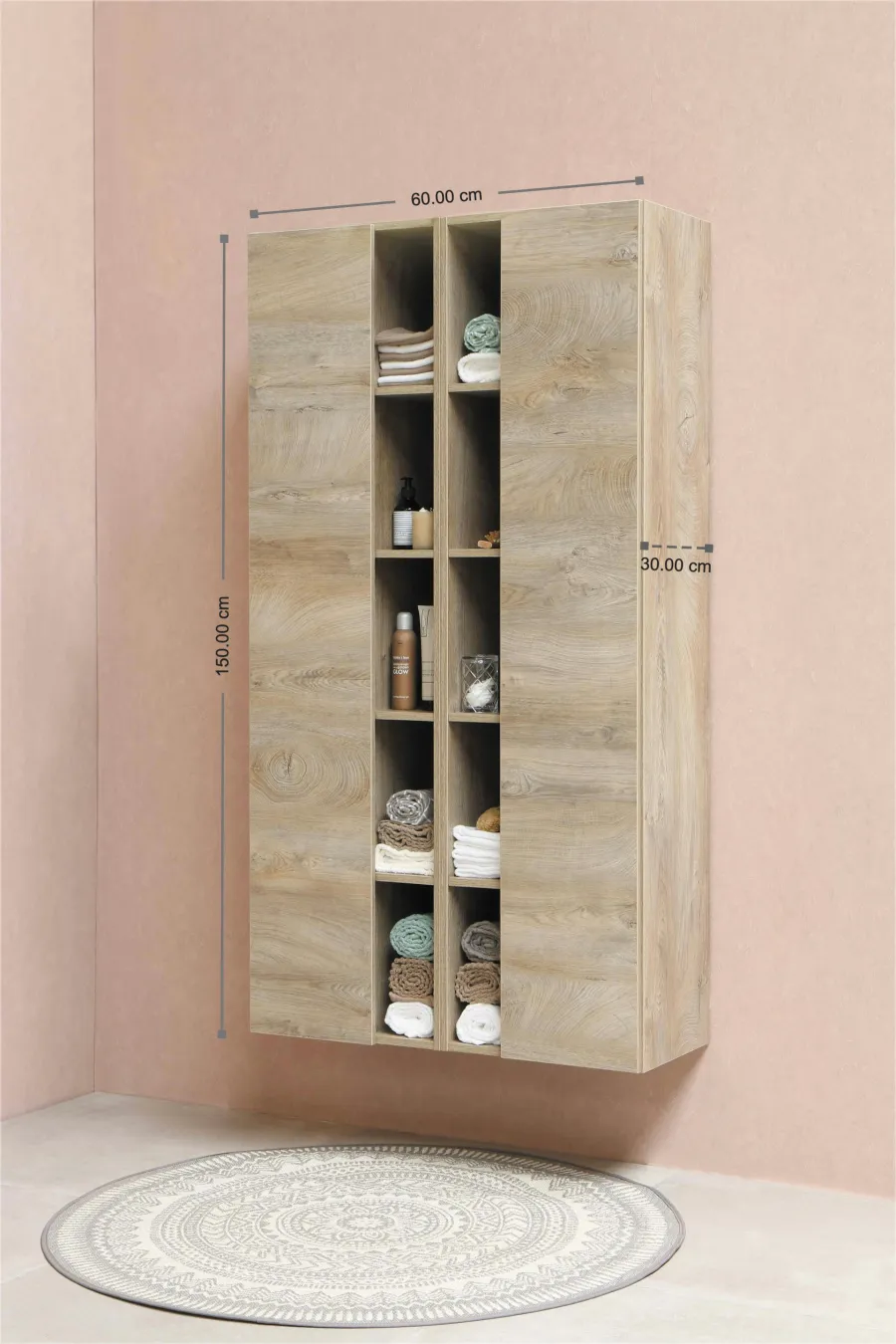
For this solid wood wall cabinet listing, we used SizeMarker to add three categories of dimensional information directly on the product images.
External Dimensions
- Width — The horizontal span of the cabinet. This is the first measurement buyers check against their available wall space
- Height — The vertical dimension. Affects mounting position relative to countertops, sinks, or other fixtures
- Depth (wall projection) — How far the cabinet extends from the wall surface. Critical for hallways, above-toilet installations, and kitchen clearance above countertops
Internal Dimensions
- Shelf spacing — The vertical gap between shelves determines what items fit. Buyers need to know if their tallest bottles, books, or containers will fit on each shelf
- Internal usable width — After subtracting wall panel thickness (typically 0.6-1.0 inches per side for solid wood), the actual storage width
- Internal usable depth — The real depth available for storing items, accounting for the back panel and door clearance
Installation Information
- Mounting hole spacing — In the US, wall studs are typically 16 inches apart. Showing the hole pattern lets buyers confirm compatibility with their wall structure
- Recommended mounting height — Ergonomic guidance: bathroom cabinets at 60-66 inches from floor, kitchen wall cabinets at 54 inches above floor (18 inches above standard 36-inch countertops)
Before vs. After: The Impact of Clear Dimension Images
Before Annotations
The listing description included dimensions in text: "24W x 16H x 6D inches." This format has several problems:
- Buyers must mentally translate abstract numbers into physical space
- No visual indication of where each measurement applies
- Internal dimensions were missing entirely
- No installation reference information
- Buyers frequently messaged the seller asking "will it fit above my 30-inch vanity?"
After Annotations
With SizeMarker dimension lines directly on the product images:
- Each measurement is visually anchored to the exact part of the cabinet it describes
- Both external and internal dimensions are clearly differentiated
- Mounting hole positions are marked, letting buyers pre-drill with confidence
- Buyers can overlay mental images of their wall space against the annotated product photo
Results
| Metric | Before | After |
|---|---|---|
| Daily size-related customer questions | 10+ | Near zero |
| Size-mismatch returns | ~40% of all returns | Near zero |
| Silent (no-question) purchases | Low | Significantly increased |
| Customer service time spent on sizing | ~2 hours/day | Minimal |
| Average days to purchase decision | 3-5 days | Same day |
The most dramatic change was in silent conversions — buyers who view the listing and purchase without ever contacting the seller. This metric is a strong signal that the listing provides all the information needed for a confident buying decision.
Best Practices for Annotating Wall Cabinet Dimensions
- Show at least two views — Front view for width and height, side or 3/4 view for depth projection. A single angle cannot convey all three dimensions clearly
- Always include internal dimensions — Buyers purchase storage furniture to store things. Internal usable space matters more than external footprint
- Annotate mounting details — Hole spacing, recommended hardware, and suggested mounting height. Missing installation info leads to "too complicated" returns
- Use familiar objects for scale — Place standard items (paperback books, coffee mugs, wine bottles) on shelves to give instant size perception
- Show door swing clearance — If the cabinet has hinged doors, annotate the clearance needed when doors are fully open
- Create a size comparison table — If you sell multiple sizes (e.g., 18", 24", 30" wide), include a side-by-side comparison image showing all variants with dimensions
Dimension Annotation Tips Specific to Wall Cabinets
- Use contrasting colors — Dark annotation lines on light wood, or light lines on dark finishes
- Keep dimension lines outside the product silhouette where possible — this avoids obscuring the finish and grain
- Label internal and external dimensions differently — Use one color for external, another for internal, with a small legend
- Include the unit in each label — Don't make buyers guess whether "24" means inches or centimeters
- Test on mobile — Over 70% of Amazon browsing happens on phones. Ensure annotations are readable at thumbnail size
FAQ
How much do internal and external dimensions typically differ for wood wall cabinets?
For solid wood cabinets, panel thickness is usually 0.6-1.0 inches (1.5-2.5 cm). This means internal width is roughly 1.2-2.0 inches less than external width, and internal depth is 1.2-2.0 inches less than external depth. Always annotate both sets of dimensions. For MDF or particle board cabinets, panels are typically 0.5-0.7 inches thick.
Should I annotate mounting hole positions on my listing images?
Strongly recommended. In the US, standard wall stud spacing is 16 inches on center. Showing your mounting hole pattern lets buyers instantly check if the cabinet aligns with their studs. This information alone can prevent a significant percentage of "installation difficulty" returns.
What about weight capacity — should that be annotated on the image?
Weight capacity is better communicated in text (bullet points or A+ content) rather than dimension annotations. The image should focus on spatial measurements. However, you should mention weight capacity prominently in your listing, especially for bathroom and kitchen wall cabinets where buyers may store heavy items like dishes or full bottles.
How do I annotate a cabinet that comes in multiple size options?
Create one comparison image showing all size variants side by side with dimensions labeled on each. Then, for each individual variant, include a dedicated dimension image. This dual approach helps buyers both choose the right size and verify specific measurements.
Do dimension annotations affect Amazon search ranking?
Not directly, but indirectly — yes. Listings with more complete information tend to have higher conversion rates and lower return rates, both of which positively influence Amazon's A10 algorithm ranking. Additionally, dimension images reduce negative reviews related to sizing, protecting your overall rating.
Create Professional Cabinet Dimension Images
Need to add clear dimension annotations to your wall cabinet listing images? SizeMarker makes it easy — upload your product photo, drag to create dimension lines, and export. The clean annotation style keeps your images looking professional while giving buyers all the size information they need to purchase with confidence.